MinuteBack: Screen Time helps reclaim minutes for real-life activities
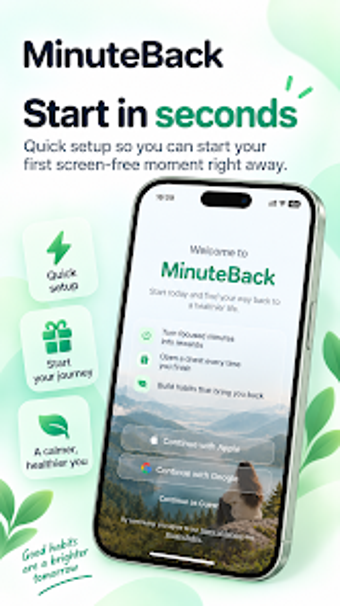
Experience MinuteBack: Screen Time by FocusOnSharing, an Android wellbeing app designed to reverse mindless scrolling and recover usable minutes for daily life. The app tracks intentional screen-free sessions and expresses progress as "reclaimed time," giving quantified minutes rather than raw usage stats. It combines a Life Map visualization, daily and weekly trends, and a Time Points rewards system to motivate behavior change. The target audience is people battling phone habit loops, students needing focus, and anyone wanting more presence.
What the app does and why reclaimed time matters
MinuteBack defines itself by measuring time spent away from the phone, not just time on it, which reframes digital wellbeing as gained minutes. The app logs verified, intentional screen-free moments such as reading or family time and aggregates them into a Reclaimed Time total. This design answers the common problem of passive tracking by translating abstention into concrete minutes, and the Life Map visualization shows how those minutes distribute across life categories.
How it affects device use and daily tracking routines
The tool runs on Android and focuses on session-based tracking instead of continuous monitoring, which reduces background churn and simplifies daily workflows. In addition, the app provides daily and weekly trend reports so users can compare reclaimed-time patterns over time. The session model means the app intervenes at deliberate moments, which suits users who prefer starting short breaks from the phone, beginning at ten-minute intervals.
Safety model and reward mechanics
MinuteBack operates by verifying completed screen-free moments and awarding Time Points and Reward Boxes for consistency. The reward system can translate to regional incentives such as gift cards or PayPal rewards when eligible. Because the app centers on verified sessions rather than modifying device settings, it keeps personal data use limited to activity logs and progress metrics, aligning its incentives with behavioral reinforcement rather than intrusive permissions.
Who can use it without technical setup and who needs guidance
The app suits nontechnical users who want a simple, guided path to reduce phone habits through short, repeatable sessions and visual feedback. Advanced users seeking granular usage analytics may find the session-focused model less detailed than continuous trackers. Nevertheless, the Life Map and progress trends present accessible summaries that let students and busy adults adopt it with minimal configuration.
MinuteBack is practical for deliberate habit change, with one trade-off
MinuteBack is a practical option for people who want to convert distracted minutes into intentional activities, thanks to reclaimed-time measurement and visual Life Map summaries. The main trade-off is its session-first approach, which emphasizes verified breaks over continuous usage detail; users who need per-app minute-by-minute analytics may find the model limiting. As a behavioral tool, it suits anyone seeking structured, short-duration breaks to improve presence.